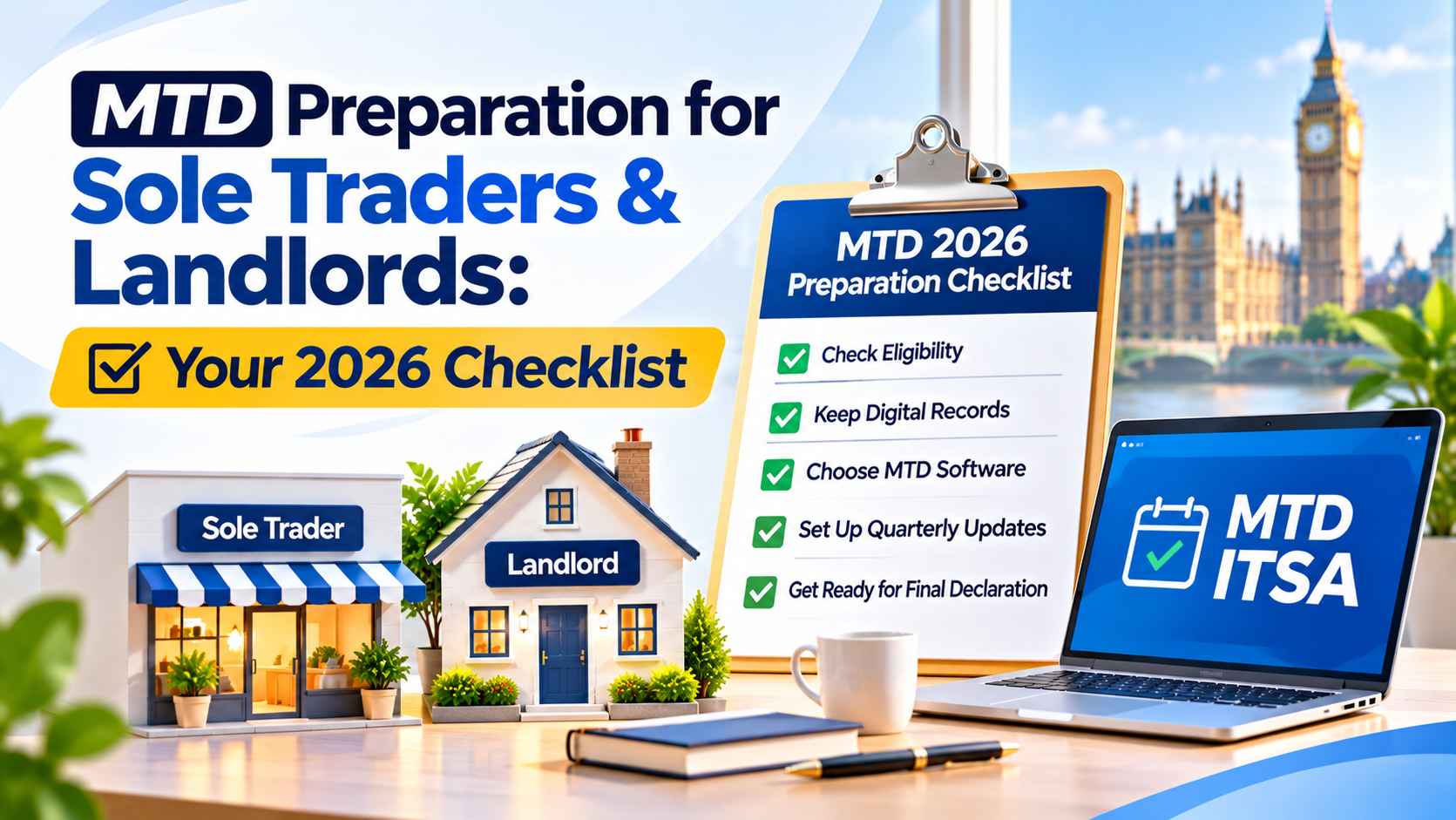
The checklist below outlines what steps sole traders and landlords need to take to get ready for MTD for Income Tax in 2026. Separate checklists are in place for sole traders and landlords.
⚡ Quick Answer: Things to do in 2026 if you’re a sole trader or landlord
Check if MTD applies to you and when. If your qualifying income is over £50,000 from 6 April 2026, over £30,000 from 6 April 2027, or over £20,000 from 6 April 2028, you need to be using MTD for Income Tax. If so, choose MTD-compatible software. You must record your income and expenditure from sole trading activities and property in digital format. Send quarterly updates by 7th August, 7th November, 7th February and 7th May. Finally, file a tax return via MTD software by 31st January. Quarterly updates do not include tax payments, and the dates you pay tax do not change.
Further guidance is available from GOV.UK: MTD for Income Tax (sole traders and landlords)
What is MTD for Income Tax?
Sole traders and landlords must report income and expenditure using MTD for Income Tax. You will:
- record income and expenditure from sole trading activities and property in MTD-compatible software;
- make quarterly updates to HMRC;
- report additional income and submit your tax return (and pay any tax due) by 31st January following the end of the tax year.
Although MTD for Income Tax is in place, you will still be required to file a tax return and pay tax each year. However, you will complete your tax return in MTD software. As HMRC do not provide the MTD software, you or your agent must choose commercially available MTD software.
Who needs to be getting ready for MTD in 2026?
If you are an individual registered for Self Assessment, have income from sole trading activities and/or property, and have qualifying income over the threshold depending on your start date, you must be using MTD for Income Tax. HMRC will have checked your income from previous years in your Self Assessment return. Therefore, if in 2024/25 you had qualifying income of over £50,000, you will have been advised that MTD for Income Tax applies to you from April 2026.
If your qualifying income falls below the first threshold, you are not automatically exempt. You may be eligible in a later phase of MTD, therefore if you have income between £20,000 and £50,000, you may want to start preparing for MTD.
| Checklist question | GOV.UK answer |
|---|---|
| What income counts? | Gross income (turnover) from sole trading and property. Income from employment, dividends, pension, or profit share from a partnership do not count. |
| Turnover or profit? | Turnover. Expenditure is not subtracted. |
| Both? | Yes. For example if you had £25,000 from rental income and £27,000 from sole trading, your qualifying income would be £52,000. |
| Jointly owned property? | Only your share of property income will count. |
| Which return has HMRC looked at? | In a prior tax year. The table below is a summary of which tax year. |
| Is income exactly equal to the threshold? | No. “Over” the threshold means that if your income is exactly equal to the threshold (e.g. £50,000) you will not be required to use MTD for Income Tax in 2026. |
| Income of £20,000 or below? | Not currently required under the published mandatory qualifying-income thresholds. This is different from the statutory exemption categories (for example, digital exclusion). |
Example: A sole trader has turnover of £36,000 and expenditure of £14,000. They also have rental income of £18,000. As neither profit nor expenditure is included in qualifying income, their qualifying income is £54,000. As this was included in their 2024/25 return, MTD for Income Tax applies from 6 April 2026.
When will different people be required to use MTD?
The phases outlined on GOV.UK are as below. Partnerships will also be required to use MTD for Income Tax in the future. The dates for partnerships have not yet been published.
| Start date | Threshold for qualifying income | Taxpayers affected | Official HMRC reference |
|---|---|---|---|
| 6 April 2026 | If qualifying income in 2024/25 was over £50,000 | Sole traders and landlords with qualifying income over threshold (in operation). | Find out when and if you need to use MTD for Income Tax |
| 6 April 2027 | If qualifying income in 2025/26 was over £30,000 | Sole traders and landlords with qualifying income over threshold (not in first phase). | Find out when and if you need to use MTD for Income Tax |
| 6 April 2028 | If qualifying income in 2026/27 was over £20,000 | Sole traders and landlords with qualifying income over threshold (not in previous phases). | Find out when and if you need to use MTD for Income Tax |
| TBC | TBC | Partnerships | Exemptions |
Use the tool on GOV.UK to confirm whether you need to be using MTD. Even if you haven’t received a letter, it is up to you to confirm whether you need to be using MTD for Income Tax and when. From September 2026, HMRC started registering people that need to be using MTD for Income Tax in 2026/27, but have not registered themselves. When doing this, HMRC will only be using data that they already have on file. Make sure that your sources of income and situation match what HMRC has on file.
Checklist for sole traders
- Check qualifying income. Total up turnover from all sole trading activities included in the relevant Self Assessment return. Do not include profit. If you have rental income, add in the rental income.
- Check current records. Check where you record income and expenditure for your business (paper, spreadsheet, bank, or accounting software). If there are gaps in your current records, you could be putting yourself under pressure later.
- Know what income and expenditure to include. The income and expenditure categories required are the same as in Self Assessment. You can choose simpler categorisation for a tax year only if your turnover from that self-employment source is less than £90,000 (the VAT threshold); if you have more than one source of self-employment or UK property income, each must be below it. If it applies, you only need to record whether each transaction is income or an expense. If your turnover reaches £90,000, you must categorise all records for that source in full before you can send an update, so if you are unsure, categorise in full from the start.
- Choose MTD-compatible software. The chosen software must allow you to record income and expenditure in digital format, make quarterly updates, and submit your tax return. See below for MTD software options.
- Create digital records. Ensure you include an amount, date and category. If you have more than one sole trading business, you must create separate records and make separate updates.
- Know what quarterly periods apply. Most people will use standard periods to match the tax year. If your accounting year is 1 April to 31 March, you may find it easier to use calendar periods. However, you must decide which period you will be using before making your first update.
- Check annual responsibilities. After your final update, make any necessary adjustments. Include any other income (dividends, savings interest etc.) and submit your return in your MTD software.
- Check key deadlines. Quarterly updates should be made by 7th August, 7th November, 7th February and 7th May. The tax return and payment should be made by 31st January.
- Keep supporting documentation. As in Self Assessment, you must keep supporting documentation (invoices, bank statements etc.) for the income and expenditure. However, digital records must be kept for at least 5 years after 31st January.
- Get professional support if necessary. An accountant or tax agent can register you, and complete and submit the return for you. However, HMRC cannot advise on which particular software to use.
Checklist for landlords
- Calculate qualifying income. Add gross rental income (before any expenditure) and premium income. If you also have income from sole trading activities, add this in. Income from property in the UK counts towards your threshold. If you are a UK resident, income from property in other countries also counts.
- Check rental income. Rental income, premium income (from granting a lease), negative premium income, and inducement income must all be included in digital records.
- Identify allowable property expenditure. As you incur expenditure, record it. Before recording, check what expenditure is and is not allowable.
- Multiple properties. If you have multiple properties in the UK, they will be considered one business for legal purposes, meaning you don’t need separate digital records for each property. The software will combine these into one quarterly update. If you have properties outside of the UK, they will be considered a separate business. In this case, separate digital records will be required for each individual property. However, all of your foreign properties are generally grouped into one foreign property business, so your software adds these separate records together into one quarterly update.
- Jointly owned property. Only include your share of income. If you have jointly let property, you can simplify your records on GOV.UK. Alternatively, you may choose to exclude property expenditure from your quarterly updates in this instance and include it in the fourth update by resubmitting.
- Check mortgage costs. Mortgage payments are not seen as standard expenditure. You can choose to include either just interest, or full amounts. If you include full amounts, you must make an adjustment before finalising. Residential landlords must indicate if an expense is restricted finance costs.
- Choose appropriate software. Ensure the software can be used for income from property in the UK, property in other countries, and any sole trading income.
- Check quarterly updates. For your UK property business, you must make an update each quarter even if no rental income was received in that period.
- Annual responsibilities. Any reliefs or allowances (such as Rent-a-Room relief) will be handled in the MTD software before submission.
- Check eligibility and exemptions. Check the rules related to Rent-a-Room relief and property allowances in order to know whether digital records are required. Also, check if any exemptions apply.
What digital records are required?
Digital records refer to income/expense records held in MTD-compatible software. You must include digital records for sole trading income and property income and expenditure. Other income (dividends, pensions, profit share from a partnership) do not require digital records in MTD but must be included in your tax return.
| Item | Sole trader | Landlord |
|---|---|---|
| Income | Sales, takings and fees | Rental income, premium income (granted lease), negative premium income and inducement income. |
| Expenditure | Stock, travel, office and financial costs | Repairs/maintenance/services, and mortgage costs (see above) |
| Details of records | Amount, date and category | Amount, date and category |
| Multiple records? | One set of records per sole trading business | One set of records for UK property businesses. Separate records must be made for property in other countries. |
| Allowances | Trading income allowance may mean you don’t need records | Property allowance and Rent-a-Room relief may mean you don’t need records. |
Digital records vs supporting documents
Digital records are the actual entries in the MTD software. Supporting documents are the original documents used to create these records (invoices, bank statements etc). Both must be kept, however, individual invoices/records will not be sent to HMRC in the quarterly updates. Only totals for each category will be sent.
Digital linking between software
If you use more than one software product to keep records and make submissions to HMRC, your records must be digitally linked between them. Once a digital record has been sent to HMRC in a quarterly update, you must not manually move it within your record-keeping software or to other software, for example by writing it out in another cell or by cut and paste or copy and paste. HMRC’s MTD for Income Tax guidance lists acceptable digital links, including linked cells in spreadsheets, XML or CSV importing and exporting, downloading and uploading files, automated data transfers and API transfers. If you use a single product for everything, you do not need to link it to other products, and you do not need to digitally link records of other income such as dividends or savings. For further information on creating processes in spreadsheets to comply with MTD, see digital records and digital linking in MTD-friendly spreadsheets.
Quarterly updates
In MTD, every 3 months, totals for each category of income and expenditure in your business will be calculated in your software. Quarterly updates are summaries, and no adjustments to your accounting or tax position are required.
These updates include totals for all of the tax year to date. Therefore, if you made errors in previous records, they can be corrected in this update and will impact your next update. If no income or expenditure was incurred in the period, an update must still be submitted.
| Standard period (default) | Calendar period (ends 31st March) | Deadline |
|---|---|---|
| 6 April to 5 July | 1 April to 30 June | 7th August |
| 6 April to 5 October | 1 April to 30 September | 7th November |
| 6 April to 5 January | 1 April to 31 December | 7th February |
| 6 April to 5 April | 1 April to 31 March | 7th May (next tax year) |
Updates can be submitted anytime after the end of the period, up to and including the deadline. If you do not expect to make any more transactions in a given period, you can submit an update up to 10 days before the end of the period. An estimated tax bill for the year to date will appear after you submit an update. Once a quarterly update is submitted in a tax year, you won’t be able to change the period. If changes need to be made to records after the fourth update, you may need to resubmit the fourth update in order to finalise your tax position. For more information see landlord quarterly records and missing quarterly updates.
Will tax be due quarterly?
No. Quarterly updates are simply summaries of income and expenditure. MTD for Income Tax does not introduce quarterly tax payments. Existing Self Assessment payment deadlines remain, including the 31 January balancing payment and any applicable payments on account. The estimated tax due shown after submitting an update is to help you budget, and is not a tax bill.
What software do sole traders and landlords need?
The software (or that of your agent) must allow you to create and store digital records, make quarterly updates, and include other income and submit a tax return. There are two main types of MTD software on offer:
Software to create records
This may include importing bank details, scanning receipts, and manual entry. These products are often all-in-one.
Software to link with existing records
This is often referred to as bridging software. If you record your data in spreadsheets, you can use bridging software to connect to HMRC.
Regardless of what type of software you use, check that it supports all of your income (sole trading, property in the UK, property in other countries), allows you to include other income in your tax return, and fits with your accounting period. Multiple products can be used, however only one can be used to submit each set of data. Products must be digitally linked. MTD-compatible software can be found on HMRC’s software finder. However, HMRC make no recommendations for particular software or providers.
Can we continue to use Excel? If you want to include digital records in a spreadsheet, you must digitally link it to software that can submit to HMRC. 11 MTD Bridge describes its service as connecting existing spreadsheets to HMRC submissions. A spreadsheet import or upload only meets MTD requirements if your workflow keeps a valid digital link from your records to the submission, so check the supported filing workflow for your type of income. See their bridging software guide for Excel. What is currently supported for your type of income can be viewed on their website.
Registering for MTD for Income Tax
To register, you must be registered for Self Assessment and have submitted a tax return within the last 2 years. Choose MTD software first. To register:
- Check what qualifying income you have, and therefore what tax year you must start MTD in (or if you are exempt).
- Choose MTD-compatible software, or decide how your agent will act on your behalf.
- Record your business start date/property income date (within the last 2 tax years), and the tax year you will start MTD in. If you are a sole trader, also record your business name, address and trade.
- Log into the online service. Use the same username and password as your Self Assessment. You may be asked to verify your identity using an app on your phone and your passport/driving licence.
- Check income from sole trading and property. Add any missing income.
- Give permission to link your chosen software to HMRC. This permission must be given every 18 months. Your software should prompt you to do this.
If you need to be using MTD for 2026/27, you should register now (unless you have already been registered by HMRC). If you start MTD in 2027/28, register before 6th April 2027. If you have been registered by HMRC, follow their advice. If an agent registers you, you must give them permission to do so.
After 4 quarterly updates
Once you have completed 4 quarterly updates, you have not finished your Income Tax. After your 4th update, make any necessary adjustments to income from sole trading activities and property. Include any other income/gains, check your tax calculations and submit your tax return in your MTD software. HMRC will include some data (such as PAYE income) automatically, but you must double check that this is correct. If you have other income (savings interest, dividends, profit share from a partnership) and HMRC do not have this data, you must include it.
You may still see references to end of period statements and final declarations. However, according to the current HMRC guidance, once you have made 4 quarterly updates, you make your tax return via MTD software. The tax return must be made by 31st January in the year after the tax year. The first MTD tax return (2026/27) must be made by 31st January 2028. If you have started MTD in April 2026, your 2025/26 tax return must still be made in the usual way by 31st January 2027. For a step-by-step guide on making a year-end return see here.
If you are not ready
- Check eligibility. Confirm if MTD applies to you and when, based on qualifying income.
- Check for exemptions. Some exemptions are automatic. Others must be applied for (digital exclusion). HMRC will not accept applications for exemptions based on inexperience with software, previously filing on paper, few records, or extra time/cost.
- Check if you’re ready with software. You can register and catch up on records. If you register mid-year, digital records will be created from the beginning of the tax year and included in your first quarterly update.
- Check with HMRC or a qualified adviser. If you do not agree with MTD for Income Tax applying to you, check with HMRC. A qualified adviser can help you with MTD software and records.
- Prepare your records. If you are required to use MTD for Income Tax from April 2026 or April 2027, late quarterly updates in your first tax year do not incur penalty points. This relief applies only to late quarterly updates; it does not waive your annual tax return or payment obligations. Your updates must still be submitted before you submit your tax return.
- Know the deadlines. In your first year, late tax returns and late payments will incur penalties.
Common errors
Qualifying income is not based on profits
Even if you make low profits, your gross income (before expenses) will place you in MTD.
Relevant property income not considered
Any rents should be added to your self-employed turnover. If you jointly own property, take just your share into consideration.
Not everyone is included in 2026
From April 2026, only people in the top bracket will be included. From 2027, people with qualifying incomes over £30,000 and from 2028, people with qualifying incomes over £20,000 will be included.
Records not prepared in time
HMRC recommend you prepare your records as near to the date of the transaction as possible. To make an update, records must have been prepared for that time frame.
MTD does not introduce quarterly tax payments
Quarterly updates are made to show income and expenditure. Existing Self Assessment payment deadlines remain, including the 31st January balancing payment and any applicable payments on account.
Spreadsheets may not be suitable
Spreadsheets must be digitally connected to MTD software, otherwise if manually copied/pasted, the digital connection will be broken.
Other taxes not considered
You must include other income and make sure any adjustments have been made. You must submit your return by 31st January.
£200 penalty not applied immediately
Penalty points will be applied for missing updates. A £200 penalty will be applied when your penalty points reach the limit. In your first MTD year, no penalty points will be applied if quarterly updates are submitted late.
Preparing for MTD in 2026
Note: These dates are given using standard time periods. If you are using a different time period (for example, calendar months) or if your situation is different, the dates below will change. The deadlines will remain the same.
- NowCheck your positionFind out if you have received a letter from HMRC / signed up, and if you have any exemptions. If you are included from April 2026, please ensure that you have compatible MTD software and that your records are up to date.
- 31 Jan 2027Submit tax return 2025/26This is submitted in the usual way. Any penalties will apply, as usual for Self Assessment.
- 7 Feb 2027Third quarter update (2026/27)This covers 6 April to 5 January in standard time periods.
- Before 6 April 2027£30,000 groupIf your qualifying income in 2025/26 is over £30,000 you should sign up. If you wish to sign up voluntarily, you can do this earlier.
- 7 May 2027Fourth quarter update (2026/27)This covers 6 April to 5 April in standard time periods and completes your quarterly updates for the year. Any adjustments and other income are dealt with after this update, when you finalise your tax position in your tax return.
- 7 Aug 2027First quarterly deadline for 2027/28 tax yearThis is the first quarter update for people beginning MTD in April 2027.
- 31 Jan 2028First MTD tax return2026/27 tax return. Must be submitted using compatible software. Payment should be made.
- 6 April 2028£20,000 groupFor people with qualifying income in 2026/27 over £20,000.
Frequently asked questions
How do I prepare for MTD for Income Tax in 2026?
Calculate your qualifying income, and determine if and when you should begin. Choose compatible software, sign up and create digital records of self-employment and property income/expenditure. Submit quarterly updates and complete your return using the software.
Do all sole traders need to start MTD in 2026?
No. Only sole traders with qualifying income over £50,000 in 2024/25 must start MTD in April 2026. Other sole traders may start MTD in 2027 or 2028.
Do all landlords need to begin MTD in 2026?
No. Landlords follow the same limits. If you as an individual have gross property income (and self-employment income if applicable) over your qualifying limit for when you begin MTD, you must begin. If you jointly own land, only your own share is included.
What is the qualifying income limit?
It depends on which group you fall under. If your qualifying income for 2024/25 was over £50,000, you start in April 2026. If your qualifying income for 2025/26 is over £30,000, you start in April 2027. If your qualifying income for 2026/27 is over £20,000, you start in April 2028. Qualifying income is gross (before deductions).
Is it possible to use Excel?
Digital records can be made using spreadsheets. However, to comply with MTD, spreadsheets must be digitally connected to submission software. This can be done through bridging software. If you manually copy and paste after submitting, you will not be following the correct process.
Do I need MTD-compatible software?
Yes. You or your agent must use MTD for Income Tax compatible software to submit digital records, quarterly updates, and tax returns. HMRC do not provide this software.
Do I need to submit quarterly updates?
Yes, if you are in MTD. These must be submitted for each property and self-employment business. Each update covers income in the tax year so far. They must be submitted by 7th August, 7th November, 7th February and 7th May. These are summaries of income, not tax returns.
Do I pay tax quarterly?
No. MTD does not affect when or how tax is paid. Your Self Assessment tax return must be submitted, and any balancing payment made, by 31st January. Where applicable, payments on account are due as usual.
Can I be exempt from MTD?
Certain people will automatically be exempt. Other people, for example digitally excluded people, may be able to apply for an exemption. Applications will be considered on a case-by-case basis by HMRC. If you are not ready, this is not a valid reason for exemption.
What happens if I miss a deadline?
If you miss a quarterly update deadline, you can receive a penalty point. For taxpayers required to use MTD for Income Tax from April 2026 or April 2027, HMRC does not apply penalty points for late quarterly updates during their first tax year. Late annual tax return and late payment consequences may still apply. If you earn 4 penalty points, you will be fined £200. If you miss a tax return, you receive a penalty point. If you miss payments, you will be subject to late payment penalties once you have passed the late payment grace period (30 days in first year, 15 days in later years). Interest will also be due on late payments.
Summary
To prepare for MTD, please ensure: 1) You know if and when you qualify; 2) You have suitable software for how you record your information; 3) You have signed up and authorised your software; 4) You have created digital records close to the date of the transaction; 5) You know the deadlines. You must make quarterly updates and submit your return and pay by 31st January. Sole traders and landlords follow the same pattern, but there are some differences in what records need to be made, what allowances are available and the specific rules. Please make sure to check your situation. For a broader overview, have a look at our MTD ITSA Guide and Do I need MTD ITSA in 2026?
Getting ready for MTD
To prepare for MTD for Income Tax, it is important to understand what is required of you, and to create accurate digital records. Take a look at how 11 MTD Bridge can support your MTD process.
View 11 MTD BridgeSources
- Sole traders and landlords: Step by step guide to MTD for Income Tax
- Find out if and when you must use MTD for Income Tax
- Calculate your qualifying income for MTD for Income Tax
- Create digital records for MTD for Income Tax
- Submit quarterly updates for MTD for Income Tax
- Submit your tax return using MTD for Income Tax
- Choose the right software for MTD for Income Tax
- Sign up for MTD for Income Tax
- Exemptions for MTD for Income Tax
- Penalties for MTD for Income Tax
This article was researched using guidance provided by HM Revenue & Customs (HMRC) and the UK government on GOV.UK. Third party articles were used to gain knowledge on what topics have been covered and what people are searching for, but are not considered factual or legal authority.
This article is provided as general information only. It is not specific tax or legal advice. Requirements for MTD for Income Tax depend on qualifying income, tax year and personal circumstances. Please refer to the most up to date HMRC guidance, or seek guidance from a suitably qualified tax professional in the UK, if necessary.