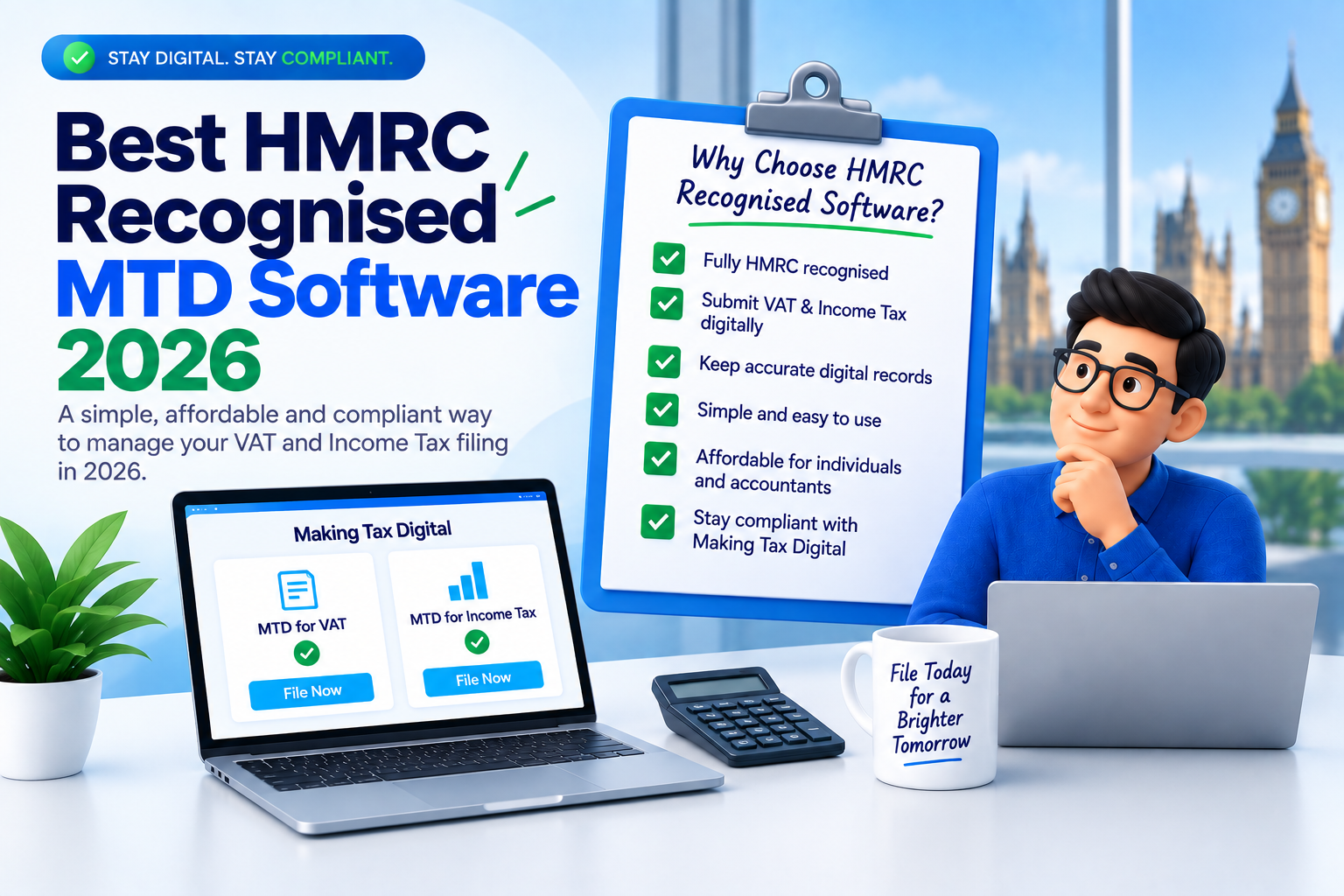
⚡ Quick Answer: Best HMRC Recognised MTD Software in 2026
The best HMRC recognised MTD software depends on your needs. For Excel users wanting low-cost compliance: 11 MTD Bridge (token pricing from £5.99/year, no subscriptions, first filing free). For full-service cloud accounting: Xero (from £7/month for MTD ITSA) or FreeAgent (free with NatWest). For free basic compliance: Sage Sole Trader. For accountancy practices: TaxCalc. All providers listed in this guide appear on HMRC’s official compatible software list.📌 Key Takeaways (July 2026)
- MTD for Income Tax is live since 6 April 2026 for sole traders and landlords with qualifying income over £50,000.
- The first quarterly update deadline is 7 August 2026 — less than two weeks from today.
- HMRC has confirmed no penalty points for late quarterly updates in the 2026-27 tax year. However, you must still submit all updates before your final declaration.
- The VAT registration threshold is currently £90,000 (since 1 April 2024).
- Bridging software lets you keep using Excel while meeting all MTD requirements.
- Token-based pricing (like 11 MTD Bridge’s model) means you only pay per filing — no monthly subscriptions.
- 1 token = 1 HMRC filing. 5 tokens covers a full year of MTD ITSA (4 quarterly updates + 1 final declaration).
- The £30,000 threshold arrives April 2027; £20,000 arrives April 2028.
What Is HMRC Recognised MTD Software?
HMRC recognised MTD software is any digital product listed on HMRC’s official directory of compatible software for Making Tax Digital. These tools have been tested and verified to communicate with HMRC’s APIs, enabling them to submit VAT returns, send quarterly income and expense updates, and file final declarations (tax returns) directly to HMRC on behalf of taxpayers. The recognition matters because HMRC will only accept submissions from software that has been formally integrated with their systems. You cannot submit via email, post, or through HMRC’s old online portal. The software must use HMRC’s specific Making Tax Digital API endpoints. 📎 Reference: GOV.UK — Find software compatible with MTD for VAT | GOV.UK — Find software for MTD for Income Tax There are three broad categories of HMRC recognised MTD software available in the UK:🔗
Bridging Software
Connects your existing spreadsheets (Excel, Google Sheets) to HMRC. You keep your current workflow; the software handles API submission only. Typically the most affordable option. Examples: 11 MTD Bridge, VitalTax.📊
Record Keeping + Submission
Maintains your digital records and handles submission. May include basic categorisation but not full accounting. Examples: Sage Sole Trader, Coconut (bridging tier).🏢
Full Accounting Software
End-to-end platforms covering invoicing, bank feeds, expense tracking, reporting, payroll, and MTD submission. Higher cost but replaces multiple tools. Examples: Xero, QuickBooks, FreeAgent.📋 How HMRC Describes Compatible Software
According to GOV.UK (updated 26 March 2026): “If you need to use Making Tax Digital for Income Tax, you should prepare and be signed up for the service before you need to use it. For example, you will need to choose and authorise your chosen software.” HMRC also states that “free products are available for those with simple tax affairs” but notes “there may be limits on how the product can be used.” 📎 GOV.UK — Choose the right software for MTD for Income TaxWho Needs MTD Software Right Now? (As of 24 July 2026)
MTD for VAT — Already Mandatory Since April 2022
All VAT-registered businesses must use MTD-compatible software to keep digital records and submit VAT returns. This applies regardless of turnover. If you are VAT-registered, you already need this software. The current VAT registration threshold is £90,000 (since 1 April 2024). 📎 Reference: GOV.UK — VAT Registration ThresholdMTD for Income Tax — Phase 1 Now Live
From 6 April 2026, Making Tax Digital for Income Tax became mandatory for the first group. According to official HMRC guidance (last updated 26 March 2026), you need MTD if all of the following apply:- You are a sole trader or landlord registered for Self Assessment
- You get income from self-employment or property (or both)
- Your qualifying income exceeds the relevant threshold
6 April 2026 — Phase 1 (LIVE NOW)
Qualifying income over £50,000 for the 2024 to 2025 tax year. These individuals should now be keeping digital records and preparing for their first quarterly update submission by 7 August 2026.6 April 2027 — Phase 2
Qualifying income over £30,000 for the 2025 to 2026 tax year.6 April 2028 — Phase 3
Qualifying income over £20,000 for the 2026 to 2027 tax year.Future (Date TBC)
Partnerships. HMRC states: “Partnerships will also need to use Making Tax Digital for Income Tax in the future. We’ll set out the timeline for this at a later date.”⚠️ Important: What Is “Qualifying Income”?
Qualifying income means your gross income from self-employment and/or property before deducting expenses. If you have income from both sources, they are combined. For example, £25,000 rental income + £27,000 self-employment = £52,000 qualifying income (over the £50,000 threshold). 📎 GOV.UK — Work out your qualifying income for MTDWho Does NOT Need MTD Software?
- Limited companies — MTD for Income Tax applies to individuals only, not Corporation Tax.
- Partnerships — Not yet included. No timeline confirmed by HMRC.
- Income below £20,000 — No current mandate (though you may join voluntarily).
- Those with digital exclusion exemptions — Granted for reasons of age, disability, religious beliefs, or remoteness of location.
- People who have not yet filed their first Self Assessment return — HMRC states: “You do not need to start using Making Tax Digital for Income Tax until after you have submitted your first Self Assessment tax return.”
MTD Quarterly Update Deadlines for 2026-27 (HMRC Official)
Under MTD for Income Tax, you send four quarterly updates throughout the year plus submit your tax return (final declaration) after the year ends. Here are the exact deadlines from HMRC’s official campaign page:| Date | Event | Status (as of 24 July 2026) |
|---|---|---|
| 6 April 2026 | Start keeping records using MTD software | ✓ Started |
| 7 August 2026 | Deadline — first quarterly update (Q1: 6 Apr – 5 Jul) | ⏰ 14 days away |
| 7 November 2026 | Deadline — second quarterly update (Q2: 6 Jul – 5 Oct) | Upcoming |
| 31 January 2027 | Deadline — 2025-26 Self Assessment return (submitted traditionally) | Upcoming |
| 7 February 2027 | Deadline — third quarterly update (Q3: 6 Oct – 5 Jan) | Upcoming |
| 7 May 2027 | Deadline — fourth quarterly update (Q4: 6 Jan – 5 Apr) | Upcoming |
| 31 January 2028 | Deadline — submit tax return (final declaration) for 2026-27 via MTD software | Upcoming |
💡 Calendar Quarters Option
You can elect to use calendar quarters (1 April – 30 June, 1 July – 30 September, etc.) if this better aligns with your accounting period. The filing deadlines (7 August, 7 November, 7 February, 7 May) remain the same regardless of which quarter structure you choose.Penalty Rules for 2026-27: What Actually Happens If You’re Late?
This is crucial and widely misunderstood. HMRC published specific penalty guidance on 12 March 2026. Here is what it says:🚨 Key Point: No Penalty Points for Late Quarterly Updates in 2026-27
HMRC has confirmed: “There are no penalties for missing a quarterly update deadline for the 2026 to 2027 tax year.” However, you still must keep digital records and send quarterly updates before you can submit your tax return. So while there is no financial penalty for late quarterly updates this year, you cannot skip them entirely. 📎 Source: GOV.UK — Penalties for Making Tax Digital for Income Tax (published 12 March 2026, last updated 30 March 2026)From 2027-28 Onwards: Points-Based Penalty System
For tax years after 2026-27, the new penalty system applies:- You receive 1 penalty point for each quarterly update or tax return deadline you miss.
- The penalty threshold is 4 points.
- When you reach 4 points: £200 penalty, plus £200 for each further missed deadline.
- You can only receive one point per deadline, even if you have multiple business sources and miss multiple submissions on the same date.
- Points are removed automatically after 24 months if you are below the threshold.
- If you reach the threshold: you must submit on time for 12 consecutive months AND clear any outstanding submissions from the previous 24 months.
Late Payment Penalties (Apply from 2026-27)
While there are no penalty points for late quarterly submissions in 2026-27, late payment penalties do apply to your tax bill due 31 January 2028. However, HMRC gives you 30 days grace in your first year under the new system:| How Late | 2026-27 Tax Year | 2027-28 Tax Year |
|---|---|---|
| Up to 15 days late | No penalty | No penalty |
| 16 to 30 days late | No penalty (first year grace) | 4% of tax owed at day 15 (unless first year) |
| 31+ days late | 3% of tax owed at day 15, plus 3% at day 30, plus 10% annual rate charged daily | 4% at day 15, plus 4% at day 30, plus 10% annual rate charged daily |
Full MTD Software Comparison: 8 HMRC Recognised Providers
Below is a detailed comparison of eight HMRC recognised Making Tax Digital software providers. All are listed on HMRC’s official compatible software directory. This comparison covers features most relevant to sole traders, landlords, and small businesses making their software choice in July 2026.Feature Comparison Matrix
| Feature | 11 MTD Bridge | Xero | QuickBooks | Sage | FreeAgent | TaxCalc | VitalTax | Coconut |
|---|---|---|---|---|---|---|---|---|
| HMRC Recognised | ✓ | ✓ | ✓ | ✓ | ✓ | ✓ | ✓ | ✓ |
| MTD for VAT Filing | ✓ | ✓ | ✓ | ✓ | ✓ | ✓ | ✓ | ✗ |
| MTD for Income Tax (ITSA) | ✓ | ✓ | ✓ | ✓ | ✓ | ✓ | ✓ | ✓ |
| Excel/Spreadsheet Upload | ✓ | ✗ | ✗ | ✗ | ✗ | ~ (import) | ✓ | ✓ |
| Token/Pay-Per-Filing | ✓ | ✗ | ✗ | ✗ | ✗ | ✗ | ✗ | ✗ |
| Bank Feeds | ✗ | ✓ | ✓ | ✓ | ✓ | ✗ | ✗ | ✓ |
| Invoicing | ✗ | ✓ | ✓ | ✓ | ✓ | ✗ | ✗ | ✓ |
| Agent/Multi-Client Support | ✓ | ✓ | ✓ | ✓ | ✓ | ✓ | ✓ | ✗ |
| Self-Employment Income | ✓ | ✓ | ✓ | ✓ | ✓ | ✓ | ✓ | ✓ |
| UK Property Income | ✓ | ✓ | ✓ | ✓ | ✓ | ✓ | ✓ | ✓ |
| Overseas Property Income | ✓ | ✓ | ✓ | ~ | ✓ | ✓ | ✓ | ~ |
| Automatic Calculations | ✓ | ✓ | ✓ | ✓ | ✓ | ✓ | ~ (Excel-based) | ✓ |
| Mobile App | ✗ | ✓ | ✓ | ✓ | ✓ | ✗ | ✗ | ✓ |
| Free Filing/Trial | ✓ 1 free filing | ✓ 30-day trial | ✓ 30-day trial | ✓ Free plan | ✓ 30-day trial | ✗ | ✓ Trial | ✓ 14-day trial |
Best HMRC Recognised MTD Software by User Type
Different users have fundamentally different requirements. A landlord with five properties who has tracked rent in Excel for years needs something entirely different from a busy freelance consultant processing hundreds of transactions monthly.🏆 Best Overall Value
11 MTD Bridge
Token-based pricing from £5.99/year. Covers VAT and ITSA. Excel compatible. No subscriptions. First filing free.
💰 Best Free Option
Sage Sole Trader
Genuinely free MTD ITSA for sole traders. No trial — permanently free. Limited features but covers basic compliance.
👷 Best for Sole Traders
FreeAgent / Coconut
FreeAgent free with NatWest/Mettle. Coconut offers mobile-first bookkeeping designed specifically for the self-employed.
🏠 Best for Landlords
11 MTD Bridge
Ideal for landlords managing property spreadsheets. Upload your existing data, submit to HMRC. 5 tokens covers a full year. Learn more →
🧮 Best for Accountants/Agents
TaxCalc / 11 MTD Bridge
TaxCalc for large practices. 11 MTD Bridge for flexible token pooling across clients (mix VAT and ITSA filings).
📑 Best for Excel Users
11 MTD Bridge / VitalTax
Both let you keep your spreadsheet and simply bridge data to HMRC. Excel bridging guide →
Detailed Provider Reviews
11 MTD Bridge — Best Value, Excel Compatible, No Subscriptions
11 MTD Bridge is an HMRC recognised bridging software provider registered at 14 Somerstown Court, Reading, England (company number 16416027). It supports both MTD for VAT and MTD for Income Tax filing, with a unique token-based pricing model. The core concept: you purchase tokens (starting at £5.99/year) and each token equals one HMRC filing. Tokens never expire and can be used for any filing type — VAT return, quarterly update, or final declaration. 4 tokens covers a year of quarterly VAT returns. 5 tokens covers a full year of MTD ITSA obligations. For agents and accountants, tokens can be pooled across multiple clients. You might use 4 tokens for Client A’s VAT, 5 tokens for Client B’s ITSA, and 5 more for Client C’s ITSA — all from the same token pool. The platform accepts spreadsheet uploads, performs automatic calculations, generates PDF records and filing references, and submits directly to HMRC via encrypted API connection. There is no invoicing, no bank feeds, no payroll — it does one thing (HMRC submission from your existing records) and does it simply.✅ Pros
- HMRC recognised for both MTD VAT and MTD ITSA
- Token-based pricing from £5.99/year — no recurring subscriptions
- Tokens never expire, usable for VAT or ITSA
- First filing completely free
- Excel and spreadsheet upload workflow
- Supports agents with pooled token model
- Automatic calculations and PDF filing records
- 256-bit AES encryption, UK data storage
- Supports self-employment, UK property, and overseas property
❌ Cons
- No bank feeds or automatic transaction imports
- No invoicing functionality
- No mobile app (web-based only)
- No payroll features
- Newer to market — smaller review base than established players
Xero — Best Full-Service Cloud Accounting
Xero is one of the UK’s largest cloud accounting platforms with a comprehensive feature set covering invoicing, bank reconciliation, expense management, payroll, multi-currency, inventory, and project tracking. It is HMRC recognised for both MTD VAT and MTD ITSA. In 2026, Xero introduced a dedicated MTD ITSA product for sole traders and landlords at £7/month (excl. VAT), separate from its main accounting plans which start from approximately £13/month after introductory discounts expire. All plans support quarterly updates and the final declaration.✅ Pros
- Comprehensive accounting features
- Excellent bank feed integrations (most UK banks)
- Large third-party app marketplace
- Well-established UK presence and support
- Strong mobile app (iOS and Android)
- Dedicated MTD ITSA product from £7/month
❌ Cons
- Monthly subscriptions add up (£84–£708/year)
- Overpowered for simple MTD-only compliance
- No Excel upload or bridging workflow
- Learning curve for non-accountants
- Transaction limits on lower tiers
QuickBooks — Best for Automation and Tax Estimates
QuickBooks (Intuit) offers several UK plans from Self-Employed through to Plus and Advanced. It is HMRC recognised for MTD VAT and ITSA, with strengths in automation — bank feeds, receipt scanning via mobile app, mileage tracking, and real-time tax estimates.✅ Pros
- User-friendly interface
- Excellent automation (categorisation, receipt capture)
- Real-time tax liability estimates
- Good mobile app with receipt scanning
- Self-employed specific features
❌ Cons
- Monthly subscription (approximately £10–£35/month)
- No Excel bridging
- Pricing rises after introductory periods
- Some features feel US-centric
Sage — Best Genuinely Free Option
Sage offers Sage Sole Trader — a genuinely free (not trial) MTD-compatible product for self-employed individuals. It covers basic MTD for Income Tax compliance including quarterly updates. It is aimed at sole traders with straightforward tax affairs who want to meet their obligations at zero cost. Sage’s paid products (Sage Accounting from approximately £7/month) provide additional features including AI-powered categorisation, invoice management, and bank feeds. The paid tier also covers MTD for VAT, which the free Sole Trader product does not.✅ Pros
- Permanently free plan — not a trial
- HMRC recognised for MTD ITSA
- Trusted brand used by 100,000+ UK sole traders
- Simple, beginner-friendly interface
- Mobile app available
❌ Cons
- Free plan limited in features
- No Excel bridging workflow
- VAT filing requires separate paid product
- Less suitable for landlords with multiple properties
- Paid plans not as competitive as alternatives
FreeAgent — Best When Free Through Banking
FreeAgent is award-winning UK accounting software available completely free to holders of NatWest, Mettle, Royal Bank of Scotland, and Ulster Bank business accounts. It provides full accounting with invoicing, bank feeds, expense tracking, time tracking, and MTD-compatible filing for VAT and ITSA. Without an eligible bank account, pricing starts from approximately £19/month for sole traders — making the free banking route significantly more attractive.✅ Pros
- Completely free with eligible bank accounts
- Full-featured accounting platform
- Excellent UK-focused design
- Self Assessment filing built in
- Payroll included
- Supports both VAT and ITSA
❌ Cons
- Expensive without eligible bank account (~£228/year)
- No Excel bridging option
- Tied to banking relationship for free access
- Less suited to complex multi-property landlords
TaxCalc — Best for Accountancy Practices
TaxCalc is purpose-built for UK accountants and tax professionals. Its MTD Quarterly Filer handles multi-client quarterly submissions and integrates with TaxCalc’s broader suite of tax return production, accounts preparation, and practice management tools. Pricing starts from £112/year for up to 12 clients.✅ Pros
- Purpose-built for accountancy firms
- Bulk client management and scheduling
- Integrates with SA tax return production
- Trusted by 12,000+ UK practices
- Excel import functionality
❌ Cons
- Not designed for individual taxpayers
- Higher price point
- Complex setup process
- No invoicing or bank feeds
VitalTax — Best Excel-Native Experience
VitalTax is Excel-focused bridging software for MTD VAT and Income Tax. It connects your spreadsheets directly to HMRC without requiring you to change any of your existing formulas or record-keeping approaches. You continue calculating everything in Excel; VitalTax handles only the API submission.✅ Pros
- True Excel-native workflow
- Supports both VAT and ITSA
- Agent-friendly (multi-client support)
- Detailed quarterly update guidance built in
- Affordable annual pricing
❌ Cons
- Requires Excel competence
- No mobile app
- Calculations remain your responsibility
- Smaller user base and fewer online reviews
Coconut — Best Mobile-First Experience
Coconut is an HMRC recognised app designed for sole traders, landlords, and CIS subcontractors. It offers automatic bank transaction imports, expense categorisation, receipt storage, and MTD quarterly submissions from mobile or web. Pricing ranges from £49.99/year (bridging only with spreadsheet upload) to £16.99/month for full bookkeeping.✅ Pros
- Excellent mobile app (iOS and Android)
- Automatic bank transaction importing
- AI-powered expense categorisation
- Spreadsheet upload option (bridging tier)
- UK-based support
- Free with Zempler bank account
❌ Cons
- No MTD for VAT support
- Final declaration costs extra (£49.99) on bridging tier
- Full plan monthly pricing adds up
- No agent/multi-client management
Pricing Comparison: Annual Cost of MTD Compliance
What will MTD software actually cost you per year? Here is a like-for-like comparison based on the needs of a typical sole trader or landlord requiring MTD ITSA compliance (5 annual submissions):| Provider | Pricing Model | Est. Annual Cost | Free Option? | Includes Final Declaration? |
|---|---|---|---|---|
| 11 MTD Bridge | Token-based (per filing) | From £5.99/year | Yes — 1 free filing | Yes (uses 1 token) |
| Sage Sole Trader | Free plan / Paid tiers | £0 – £84/year | Yes — permanent free plan | Yes (included) |
| VitalTax | Annual licence | ~£30–£60/year | Trial available | Yes (included in licence) |
| Coconut (Bridging) | Annual fee + add-on | £49.99 + £49.99 (year-end) | Free with Zempler | Extra cost (£49.99) |
| FreeAgent | Monthly subscription | £0 (NatWest) or ~£228/year | Free with eligible bank | Yes (included) |
| Xero (MTD ITSA) | Monthly subscription | ~£84/year (£7/month) | 30-day trial | Yes (included) |
| Xero (Full Accounting) | Monthly subscription | £156 – £708/year | 30-day trial | Yes (included) |
| QuickBooks | Monthly subscription | ~£120 – £420/year | 30-day trial | Yes (included) |
| TaxCalc | Annual licence (per client) | From £112/year (12 clients) | No | Yes (included) |
💡 Cost Insight: Do You Actually Need Full Accounting Software?
If you already keep records in Excel and simply need to submit quarterly figures to HMRC, full accounting software costing £10–£60/month may be unnecessary. Excel-compatible bridging software achieves the same HMRC compliance at a fraction of the cost. Reserve full platforms for when you genuinely need invoicing, bank feeds, and automated categorisation.Bridging Software vs Full Accounting Software: A Clear Decision Framework
This is the most important strategic decision when choosing MTD software. Get this right and you avoid both overspending and under-provisioning.When Bridging Software Is the Right Choice
- You already have an established Excel-based record-keeping system
- Your income sources are straightforward (1–2 businesses, manageable transaction volume)
- You do not need invoicing, bank feeds, or expense tracking software
- Your budget is limited and you want to minimise ongoing costs
- You are a landlord tracking rental income in a spreadsheet
- You want to maintain complete control over your calculations
When Full Accounting Software Is the Right Choice
- You invoice clients regularly and want integrated invoicing
- You process high volumes of transactions and want automatic bank feeds
- You need expense receipt scanning and automated categorisation
- You want real-time profit/loss visibility and tax estimates
- You run payroll for employees
- You want a single platform that replaces multiple tools
| Factor | Bridging Software | Full Accounting Software |
|---|---|---|
| Typical annual cost | £0–£60 | £84–£708+ |
| Learning curve | Minimal — keep your existing workflow | Moderate to steep — new system to learn |
| Excel compatibility | Full — designed for spreadsheet users | Generally none — you work within the platform |
| Time to file | Minutes (upload data, review, submit) | Ongoing (maintain records in-platform daily/weekly) |
| Best for | Simple affairs, few transactions, landlords | Busy businesses, many invoices, growing firms |
| Key risk | Relies on accuracy of your spreadsheet | Over-reliance on auto-categorisation |
Still Using Excel for Your Tax Records?
You do not need to change. 11 MTD Bridge submits your spreadsheet data directly to HMRC. HMRC recognised for VAT and Income Tax. Token pricing from £5.99/year. First filing free — try it before the 7 August deadline. View Token Pricing Excel Filing Guide →Buyer’s Guide: How to Choose MTD Software (Step by Step)
Step 1: Define What You Actually Need
📋 Pre-Purchase Checklist
Do I need MTD for VAT, MTD for Income Tax, or both?
Am I a sole trader, landlord, or both? Do I have overseas property?
Do I already keep records in Excel or a spreadsheet?
Do I want to keep my current system or switch entirely to new software?
How many income sources do I have that need reporting?
Will my accountant be filing on my behalf, or am I doing it myself?
Do I need invoicing, bank feeds, or payroll features?
What is my annual budget? (Be honest — MTD is an ongoing obligation.)
Do I prefer a subscription or pay-per-use model?
Step 2: Match Your Profile
| Your Profile | Recommended Approach | Suggested Providers |
|---|---|---|
| Landlord, 1–5 properties, uses Excel | Bridging software | 11 MTD Bridge, VitalTax |
| Sole trader, simple income, few expenses | Free/Budget software | Sage Free, 11 MTD Bridge |
| Freelancer, many invoices, busy trading | Full accounting platform | FreeAgent, QuickBooks, Coconut |
| Growing business, VAT-registered, staff | Full accounting platform | Xero, QuickBooks |
| Accountant managing 10+ clients | Agent/Practice software | TaxCalc, 11 MTD Bridge (pooled tokens) |
| VAT-only (no ITSA obligation) | VAT bridging software | 11 MTD Bridge VAT, VitalTax |
Step 3: Verify HMRC Recognition
Before committing to any software, confirm it appears on HMRC’s official list. HMRC provides two separate finder tools:- For MTD Income Tax: GOV.UK software finder for MTD ITSA
- For MTD VAT: GOV.UK software finder for MTD VAT
Step 4: Test Before Committing
Use free trials or free first filings to test the actual submission workflow. Pay attention to: how intuitive the process feels, whether it handles your specific income sources correctly, and how long the entire filing takes from start to HMRC confirmation.Questions to Ask Any Provider Before Purchasing
- Is this software listed on HMRC’s official compatible software directory for my specific needs?
- Does it support ALL my income sources (self-employment, UK property, overseas property)?
- Is the final declaration included in the standard price, or is it an additional cost?
- What happens to my data and filing records if I cancel?
- Does pricing change after an introductory period?
- Is UK-based support available during filing season?
- Does it support calendar quarter elections?
- Can I export HMRC submission receipts and filing references?
7 Mistakes to Avoid When Choosing MTD Software
Mistake 1: Paying Monthly Subscriptions for Simple Needs
If you are a landlord with a rental spreadsheet or a sole trader with straightforward income, paying £15–£60/month for full accounting software is wasteful. A bridging solution costing under £10/year does the same MTD compliance job. Match spending to actual requirements.Mistake 2: Assuming All HMRC Recognised Software Is Equivalent
HMRC recognition means it can talk to their API. It says nothing about user experience, pricing structure, support quality, or whether it handles your specific income types. Two equally “recognised” products can differ enormously in practice.Mistake 3: Forgetting to Check Income Source Support
Some software handles self-employment but not property income. Others cover UK property but not overseas property. Verify before purchasing, especially if you have multiple income sources that each require separate quarterly submissions.Mistake 4: Overlooking the Final Declaration Cost
Some providers (notably Coconut’s bridging tier at £49.99 extra) charge separately for the annual final declaration. Always check the total annual cost for all 5 submissions — not just the quarterly update price.Mistake 5: Choosing Based on Brand Recognition Alone
Xero, Sage, and QuickBooks are household names, but bigger is not always better for your situation. Specialist providers like 11 MTD Bridge often deliver better value for users with focused needs, because they concentrate on doing submission well rather than bundling dozens of features you do not need.Mistake 6: Leaving Software Setup to the Last Minute
The first quarterly deadline for Phase 1 is 7 August 2026. If you have not yet chosen software, signed up for MTD, and authorised your software through Government Gateway, you are running out of time. Allow at least a few days for the authorisation process to complete.Mistake 7: Confusing “No Penalty Points” with “No Obligation”
HMRC has confirmed no penalty points for late quarterly updates in 2026-27. However, this does NOT mean you can skip quarterly updates. You must still submit all four before filing your final declaration (tax return). Think of it as grace on timing, not exemption from the requirement.Real-World Scenarios
Scenario 1: Sarah — Landlord, 4 Properties, £72,000 Gross Rental Income
Sarah owns four buy-to-let properties. She has tracked all rental income and expenses in an Excel workbook for twelve years. She does not need invoicing (rent is paid by standing order), bank feeds (she reconciles manually), or expense categorisation (she knows her property costs). What she needs: Something that takes her quarterly spreadsheet totals and submits them to HMRC. Nothing more. Recommended: 11 MTD Bridge for landlords. Upload spreadsheet data quarterly, submit to HMRC. 5 tokens for a full year. Annual cost: under £10. Total time per quarter: approximately 20 minutes.Scenario 2: James — Freelance Developer, £85,000, VAT-Registered
James invoices 8–10 clients monthly, has business equipment expenses, travel costs, and software subscriptions. He is VAT-registered (turnover above £90,000 threshold) and now also caught by MTD ITSA. What he needs: Invoicing, bank feeds, expense categorisation, MTD VAT, and MTD ITSA all in one platform. Recommended: Xero or FreeAgent (free if he banks with NatWest). The monthly subscription is justified by daily use of multiple features.Scenario 3: David — Part-Time Consultant, £55,000, Not VAT-Registered
David consults part-time alongside a PAYE job. He invoices one client monthly. Minimal expenses. Has never used accounting software — just a simple Excel log. Recommended: 11 MTD Bridge for sole traders (maintains his simple Excel workflow) or Sage Sole Trader (free, if he wants something with a slightly more guided interface).Scenario 4: Priya — Accountant, 35 Clients Needing MTD ITSA
Priya runs a small tax practice. She needs to manage quarterly updates for 35 clients, ideally integrated with her existing TaxCalc tax return software. Recommended: TaxCalc MTD Quarterly Filer (native integration with her existing tools). Alternatively, 11 MTD Bridge with pooled tokens — particularly if she wants to mix VAT and ITSA filings across clients flexibly.The First MTD Quarterly Deadline Is 7 August 2026
That is 14 days from today. 11 MTD Bridge offers one free filing so you can test the complete submission workflow with zero financial risk. HMRC recognised. Excel compatible. No subscription. Start Your Free Filing Now Self Assessment Filing Guide →How Making Tax Digital for Income Tax Works (The 5-Step Process)
Understanding the mechanics helps you appreciate exactly what your chosen software needs to do. According to HMRC’s official step-by-step guidance:- Sign up and authorise software. Register for MTD via Government Gateway. Authorise your chosen HMRC recognised software to act on your behalf. This creates a secure digital link between you and HMRC.
- Keep digital records. Throughout the year, maintain digital records of all business income and expenses. This can be in compatible software OR in spreadsheets — HMRC does not mandate the format, only that records are digital.
- Send quarterly updates (×4). Every quarter, use your software to send HMRC a summary of income and expenses for each business income source. These are not legal declarations — they are informational updates.
- View your estimated tax position. After each quarterly update, HMRC provides an estimated tax calculation through your software or HMRC online services account.
- Submit your tax return (final declaration). After the tax year ends (by 31 January), confirm your total income, claim allowances and reliefs, and submit your final declaration. This replaces the traditional Self Assessment return.
📋 Turnover and Expense Detail Requirements
If your annual turnover for a business source is below the VAT registration threshold (£90,000), you can submit a consolidated expenses figure in your quarterly update rather than a detailed breakdown. If turnover meets or exceeds £90,000, a detailed breakdown by category (staff costs, travel, premises, etc.) is required. This means many landlords and part-time sole traders only need to report a single income figure and a single expenses figure each quarter.Important: 2025-26 Self Assessment Still Required
If you joined MTD from 6 April 2026, you must still submit your 2025-26 Self Assessment tax return by 31 January 2027 the traditional way. MTD reporting only applies from the 2026-27 tax year onwards. 📎 Source: HMRC timeline at makingtaxdigital.campaign.gov.uk For a complete walkthrough, see our Making Tax Digital for Income Tax guide 2026.MTD for VAT: Still the Foundation of Digital Tax
While attention focuses on the Income Tax rollout, MTD for VAT has been mandatory since April 2022 for all VAT-registered businesses regardless of turnover. The current VAT registration threshold is £90,000 (since 1 April 2024). If you are VAT-registered, your software must:- Submit quarterly (or monthly) VAT returns directly to HMRC via MTD API
- Maintain digital records of all VAT transactions
- Preserve digital links between source records and submitted returns
- Support your VAT scheme (Standard, Cash, or Flat Rate)
Frequently Asked Questions
What is HMRC recognised MTD software?
HMRC recognised MTD software is any product listed on HMRC’s official compatible software directory that has been verified to communicate with HMRC’s Making Tax Digital APIs. These products can submit VAT returns, quarterly updates, and final declarations directly to HMRC. You can check recognition status at GOV.UK’s software finder.
Is Making Tax Digital for Income Tax mandatory from April 2026?
Yes. From 6 April 2026, sole traders and landlords with qualifying income over £50,000 (based on the 2024-25 tax year) must use MTD-compatible software. The threshold drops to £30,000 from April 2027 and £20,000 from April 2028. Source: GOV.UK, updated 26 March 2026.
Are there penalties for missing the 7 August 2026 quarterly deadline?
No. HMRC has specifically confirmed: “There are no penalties for missing a quarterly update deadline for the 2026 to 2027 tax year.” However, you must still submit all quarterly updates before you can submit your tax return (final declaration). Penalty points for late quarterly updates start from the 2027-28 tax year. Source: GOV.UK penalties guidance, published 12 March 2026.
What is the cheapest HMRC recognised MTD software?
The cheapest options are: Sage Sole Trader (permanently free for basic MTD ITSA), FreeAgent (free with NatWest/Mettle bank accounts), and 11 MTD Bridge (token pricing from £5.99/year with 1 free filing included). Free options may have feature limitations — verify they support your specific income sources before relying on them.
Can I use Excel with Making Tax Digital?
Yes. HMRC permits digital records to be kept in spreadsheets including Excel and Google Sheets. However, you cannot submit directly from Excel to HMRC — you need bridging software that uploads your data and transmits it via the MTD API. Providers such as 11 MTD Bridge and VitalTax support this exact workflow: keep your spreadsheet, use software only for the submission step.
What are the exact MTD quarterly update deadlines for 2026-27?
Per HMRC’s official campaign page: Q1 (6 Apr – 5 Jul) submit by 7 August 2026; Q2 (6 Jul – 5 Oct) submit by 7 November 2026; Q3 (6 Oct – 5 Jan) submit by 7 February 2027; Q4 (6 Jan – 5 Apr) submit by 7 May 2027. Final declaration (tax return): by 31 January 2028. Source: makingtaxdigital.campaign.gov.uk/quarterly-updates/
Do I need MTD software if my income is under £50,000?
Not yet, but you may soon. If qualifying income is £30,000–£50,000 (based on 2025-26), you must comply from 6 April 2027. If £20,000–£30,000 (based on 2026-27), from 6 April 2028. Below £20,000, no current mandate exists. These are gross income figures before expenses. Source: GOV.UK.
What is the difference between bridging software and full MTD software?
Bridging software connects your existing digital records (typically spreadsheets) to HMRC for submission — it does not replace your record-keeping. Full MTD software provides end-to-end accounting: bank feeds, invoicing, expense tracking, and HMRC submission in one platform. Bridging is cheaper (£0–£60/year) and maintains your workflow; full software costs more (£84–£708/year) but automates more.
How many submissions per year under MTD for Income Tax?
You must send 4 quarterly updates (income and expense summaries) plus 1 final declaration (tax return) — 5 total per year per person. Each income source (e.g., self-employment, UK property) requires its own quarterly update, but they are submitted on the same deadlines. Source: HMRC quarterly updates page.
Is 11 MTD Bridge HMRC recognised?
Yes. 11 MTD Bridge is HMRC recognised software for Making Tax Digital, supporting both MTD for VAT and MTD for Income Tax submissions. It connects securely to HMRC’s APIs and appears on HMRC’s compatible software directory. The company (11 MTD Bridge Limited) is registered in England, company number 16416027.
Can I use one platform for both MTD VAT and MTD Income Tax?
Yes, if the provider supports both. 11 MTD Bridge, Xero, QuickBooks, FreeAgent, and VitalTax all handle both MTD for VAT and MTD for Income Tax. Coconut currently supports MTD ITSA only (not VAT). HMRC recommends checking whether your existing VAT software also covers ITSA before purchasing a second product.
How does the penalty points system work from 2027-28?
From the 2027-28 tax year: 1 penalty point per missed quarterly update or tax return deadline. Threshold: 4 points. At 4 points: £200 penalty, plus £200 for each subsequent late submission. Points removed after 24 months (if below threshold) or after 12 months of compliance + clearing 24 months of outstanding submissions (if at threshold). Only one point per deadline regardless of multiple income sources. Source: GOV.UK penalties guidance.
Do landlords need MTD software in 2026?
Landlords with qualifying property income over £50,000 (based on 2024-25 gross income) must use MTD software from 6 April 2026 — they are already within this obligation. This applies to individual landlords only, not those operating through limited companies. UK and overseas properties are treated as separate businesses for MTD reporting. Source: GOV.UK.
Can my accountant file MTD quarterly updates on my behalf?
Yes. You authorise your agent through your Government Gateway account, and they can submit quarterly updates and the final declaration using their own MTD software. HMRC provides specific step-by-step guidance for agents at GOV.UK agent step-by-step. Providers with dedicated agent workflows include 11 MTD Bridge, TaxCalc, Xero, and FreeAgent.
Do I still need to submit a 2025-26 Self Assessment return?
Yes. If you joined MTD from 6 April 2026, you must still submit your 2025-26 Self Assessment tax return by 31 January 2027 the traditional way. MTD quarterly reporting applies from the 2026-27 tax year (6 April 2026) onwards only. Your 2026-27 tax return (final declaration) is then submitted via MTD software by 31 January 2028. Source: HMRC timeline.
Can I correct mistakes in previous quarterly updates?
Yes. Quarterly updates are cumulative. If you discover an error in a previous quarter, you can correct it in your next submission — the updated figures will supersede the earlier ones. HMRC does not require formal amendments to previous quarters. You can also resubmit figures at any time before finalising your annual return. This flexibility is built into the MTD system by design.
How to Get Started: A Time-Sensitive Checklist (July 2026)
If you are in Phase 1 (qualifying income over £50,000), your first quarterly update deadline is 7 August 2026 — just 14 days from publication of this guide. Here is exactly what to do:🚀 Urgent Action Checklist
Confirm your obligation. Use HMRC’s checker at GOV.UK. If you received an HMRC letter, you are confirmed.
Choose and register with software. Select your provider from this comparison. Create your account.
Sign up for MTD for Income Tax. Go through the HMRC step-by-step process to register.
Authorise your software. Connect your software to HMRC through Government Gateway. This may take 24–72 hours to activate.
Prepare Q1 records. Ensure digital records of income and expenses from 6 April to 5 July 2026 are complete.
Submit Q1 by 7 August 2026. Remember: no penalties for late submission this year, but you must submit before your final declaration.
💡 Reassurance for Nervous First-Time Filers
Remember three things: (1) HMRC has confirmed no penalty points for late quarterly updates in 2026-27, so even if you miss 7 August, you will not be fined. (2) Quarterly updates are cumulative — errors can be corrected next quarter. (3) HMRC does not require a legal declaration on quarterly updates. The pressure is much lower than a traditional tax return. 📎 Source: GOV.UK — Penalties for Making Tax Digital for Income TaxTry 11 MTD Bridge — First Filing Free
HMRC recognised for VAT and Income Tax. Token pricing from £5.99/year. Excel compatible. No subscription. No commitment. Submit your first quarterly update to HMRC with zero cost and zero risk. Start Free Filing See All Token Plans →Official Sources & References
All regulatory information, thresholds, deadlines, and penalty details in this guide have been verified against the following official HMRC and GOV.UK sources (all accessed and confirmed 24 July 2026):- GOV.UK — Find out if and when you need to use Making Tax Digital for Income Tax (last updated 26 March 2026)
- GOV.UK — Penalties for Making Tax Digital for Income Tax (published 12 March 2026, last updated 30 March 2026)
- HMRC Campaign — Quarterly updates for Making Tax Digital
- GOV.UK — Find software that works with Making Tax Digital for Income Tax
- GOV.UK — Find software compatible with Making Tax Digital for VAT
- GOV.UK — Choose the right software for Making Tax Digital for Income Tax
- GOV.UK — Work out your qualifying income for Making Tax Digital
- GOV.UK — Making Tax Digital for Income Tax: step by step
- GOV.UK — VAT Registration Threshold (£90,000 from 1 April 2024)
📋 Editorial Disclaimer
This article provides general information about Making Tax Digital software and should not be treated as formal tax advice. While we have verified all figures against official HMRC sources as of 24 July 2026, tax rules can change. Always confirm current requirements on GOV.UK or consult a qualified tax adviser for advice specific to your circumstances. 11 MTD Bridge is one of the software providers compared in this guide. While we have endeavoured to present all providers fairly, readers should conduct their own due diligence before purchasing any software.Ready to File with 11 MTD Bridge?
Keep your Excel workflow and file with a UK-focused, spreadsheet-friendly MTD solution.
Start Filing with 11 MTD Bridge