Quick Answer
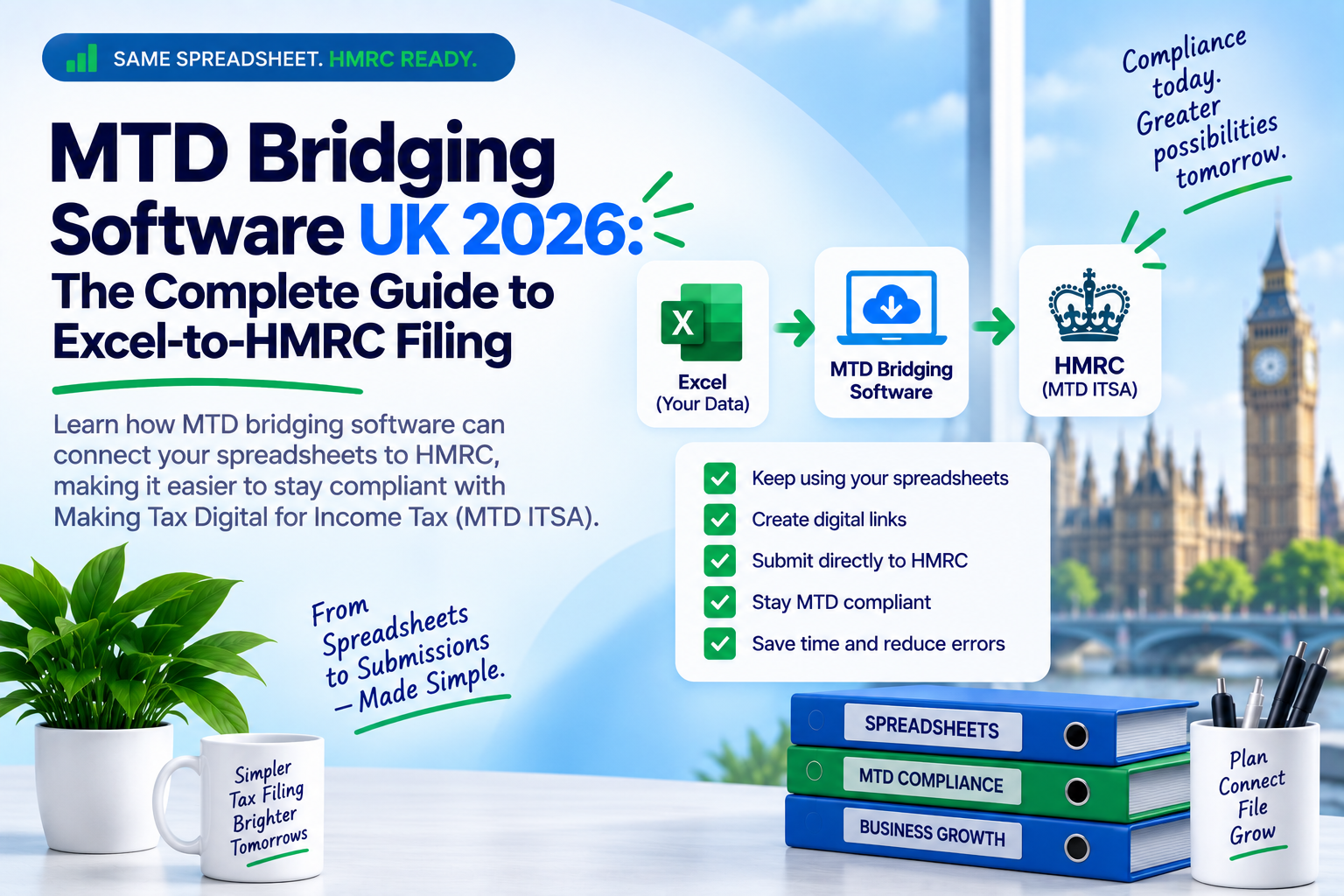
MTD bridging software connects Excel spreadsheets and other digital records to HMRC, allowing UK businesses, landlords, sole traders and accountants to submit VAT returns and Making Tax Digital Income Tax updates without moving everything into full accounting software.
- Works with Excel and spreadsheet-based records.
- Helps submit tax information to HMRC using compatible software.
- Supports Making Tax Digital workflows for VAT and, where available, Income Tax.
- Ideal for businesses that want to keep their existing bookkeeping process.
Why Trust This Guide?
This guide focuses on UK HMRC filing rules and links to official GOV.UK resources so readers can verify the latest requirements before filing.
What Is MTD Bridging Software?
MTD bridging software is a digital tool that helps move tax information from your spreadsheet or digital records into HMRC’s Making Tax Digital system. It acts as a bridge between Excel and HMRC’s online filing services.
Instead of manually typing VAT return figures into HMRC, bridging software allows your figures to be submitted digitally through software that is compatible with Making Tax Digital.
Official HMRC reference: VAT Notice 700/22: Making Tax Digital for VAT
Simple Definition
MTD bridging software lets you keep using Excel while submitting tax information to HMRC through a digital, MTD-compatible route.
Why UK Businesses Need MTD Bridging Software in 2026
Making Tax Digital is now a central part of UK tax compliance. MTD for VAT already applies to VAT-registered businesses, and MTD for Income Tax starts from 6 April 2026 for sole traders and landlords with qualifying income over £50,000.
For businesses that already use Excel, the challenge is simple: how do you stay compliant without rebuilding your entire bookkeeping process?
Key Takeaways
- MTD bridging software is useful for businesses that already use Excel.
- It can reduce the need to move to expensive full accounting software.
- It supports digital submission to HMRC when the software is compatible.
- It is especially helpful for VAT returns, sole traders, landlords and agents.
Expert insight: For many Excel users, bridging software is the fastest route to MTD compliance because it protects the existing bookkeeping process while adding the HMRC digital submission layer.
MTD for VAT and Excel-to-HMRC Filing
Under Making Tax Digital for VAT, VAT-registered businesses must keep digital records and submit VAT returns using compatible software. HMRC guidance confirms that all VAT-registered businesses should now keep VAT records and file VAT returns using compatible software.
Official HMRC reference: Making Tax Digital for VAT
How Bridging Software Helps with VAT
If your VAT calculations are already prepared in Excel, bridging software can help you submit the VAT return figures digitally to HMRC. This avoids manual retyping and helps maintain a cleaner digital process.
Important
Before using any tool, check whether it appears on HMRC’s compatible software guidance.
MTD for Income Tax from April 2026
Making Tax Digital for Income Tax starts from 6 April 2026 for many sole traders and landlords with qualifying income over the HMRC threshold.
Official HMRC reference: Making Tax Digital for Income Tax
Who Is Affected?
From 6 April 2026, MTD for Income Tax applies to many sole traders and landlords with annual qualifying income over £50,000. HMRC will write to affected taxpayers when they need to start using Making Tax Digital for Income Tax.
You can check HMRC’s official guidance here: Find out if and when you need to use Making Tax Digital for Income Tax .
Official HMRC software finder: Find software that works with Making Tax Digital for Income Tax
MTD Bridging Software vs Full Accounting Software
Bridging software and full accounting software both have a place. The right option depends on your business size, record-keeping process and whether you want to keep using Excel.
| Feature | MTD Bridging Software | Full Accounting Software |
|---|---|---|
| Best for | Excel users and spreadsheet-based businesses | Businesses wanting a full bookkeeping system |
| Workflow | Keep existing spreadsheets | Move records into a new platform |
| Learning curve | Usually lower | Usually higher |
| Cost | Often lower or pay-per-filing | Often monthly or annual subscription |
| Bank feeds | Usually limited or not included | Often included |
| Invoicing and reporting | Usually handled in your existing process | Often built into the platform |
| MTD submission | Yes, if compatible with HMRC requirements | Yes, if compatible with HMRC requirements |
Practical recommendation: Choose bridging software if your records are already accurate in Excel and you only need the HMRC digital submission route. Choose full accounting software if you also need bank feeds, invoicing, stock control or wider bookkeeping features.
How to Choose MTD Bridging Software in the UK
Before choosing any MTD bridging software, check whether it meets your filing needs and whether it works with HMRC services relevant to your business.
Checklist Before You Choose
- HMRC compatibility: Check support for the relevant MTD service.
- VAT support: Confirm that it supports MTD VAT submissions.
- Income Tax support: Check MTD for Income Tax support if required.
- Excel workflow: Confirm whether you can upload or map Excel data.
- Agent features: Accountants should check client management features.
- Pricing: Compare pay-per-filing, annual and subscription models.
- Security: Look for HMRC authorisation, encryption and privacy controls.
- Support: Check support availability before tax deadlines.
How to Set Up MTD Bridging Software
- Prepare your records: Check your Excel formulas, totals, dates and VAT figures.
- Create your account: Register with your chosen MTD bridging software provider.
- Connect to HMRC: Authorise the software through HMRC’s secure process.
- Select your filing period: Choose the correct VAT or Income Tax period.
- Import or enter figures: Upload your Excel file or use the provider’s digital process.
- Review before submission: Check every figure carefully before sending it to HMRC.
- Save confirmation: Keep your HMRC submission receipt with your tax records.
Common MTD Bridging Software Mistakes to Avoid
1. Using Software That Does Not Support the Right HMRC Service
VAT and Income Tax are different MTD services. A tool that supports one may not support the other.
2. Breaking the Digital Link
Avoid unnecessary manual retyping between systems where digital links are required.
3. Filing the Wrong Period
Always check the VAT period or Income Tax update period before submission.
4. Ignoring Validation Warnings
If your software flags an issue, investigate it before submitting.
5. Waiting Until the Deadline
Set up and test your software before your deadline to avoid avoidable filing stress.
Security, HMRC Authorisation and Data Protection
MTD software connects to sensitive tax information, so security matters. Choose software that uses secure HMRC authorisation, encrypted data transfer, clear privacy terms and transparent support processes.
Security Checklist
- Secure HMRC authorisation process.
- Encrypted data transfer.
- Clear privacy policy and UK GDPR practices.
- Submission history and confirmation receipts.
- Clear support contact details.
Ready to File with 11 MTD Bridge?
Keep your Excel workflow and file with a UK-focused, spreadsheet-friendly MTD solution.
Start Filing with 11 MTD BridgeFrequently Asked Questions
What is MTD bridging software?
MTD bridging software connects spreadsheet-based records, such as Excel files, to HMRC’s Making Tax Digital services so tax information can be submitted digitally.
Can I still use Excel for Making Tax Digital?
Yes. Many businesses continue using Excel, but they need compatible software or a digital process that allows information to be submitted to HMRC under MTD rules.
Does HMRC allow bridging software?
HMRC requires compatible software for Making Tax Digital. Bridging software can be used where it meets the relevant requirements and supports the HMRC service you need.
Who needs MTD for Income Tax from April 2026?
HMRC guidance says MTD for Income Tax starts from 6 April 2026 for sole traders and landlords with qualifying income over £50,000.
Is bridging software cheaper than full accounting software?
It often can be, especially for businesses that only need digital submission rather than a full bookkeeping platform. Pricing depends on the provider and filing model.
Can accountants use MTD bridging software for clients?
Yes. Accountants and bookkeepers can use suitable MTD software to support client filing, provided the correct HMRC authorisation and agent processes are in place.
Conclusion
MTD bridging software is one of the simplest ways for UK businesses to keep using Excel while meeting Making Tax Digital requirements. It is especially useful for VAT-registered businesses, spreadsheet-based sole traders, landlords preparing for MTD for Income Tax and accountants managing client submissions.
For businesses that want a spreadsheet-friendly, UK-focused filing solution, 11 MTD Bridge provides a practical route from Excel to HMRC.